Routine-support buying guide
Best Label Makers for Pantry and Meal-Prep Organization
A label maker can make containers and pantry zones easier to identify, but the device is only the beginning of the purchase. The useful choice is the one with readable labels, refills you can reliably buy, controls you will actually use, and tape suited to the surfaces and conditions in your kitchen.
As an Amazon Associate, GoodWeighFinds earns from qualifying purchases.
Who this guide is for
This guide is for adults who want repeatable labels for pantry bins, shelves, ingredient containers, reusable lunch containers, or meal-prep supplies. It is about reducing identification and organization friction, not turning a kitchen into a diet-monitoring system.
For the broader low-hype approach to ordinary planning equipment, start with the routine-support tools guide. If you need only removable date labels rather than a printing device, the food-storage label guide is the more direct comparison.
Best-fit formats, not unsupported rankings
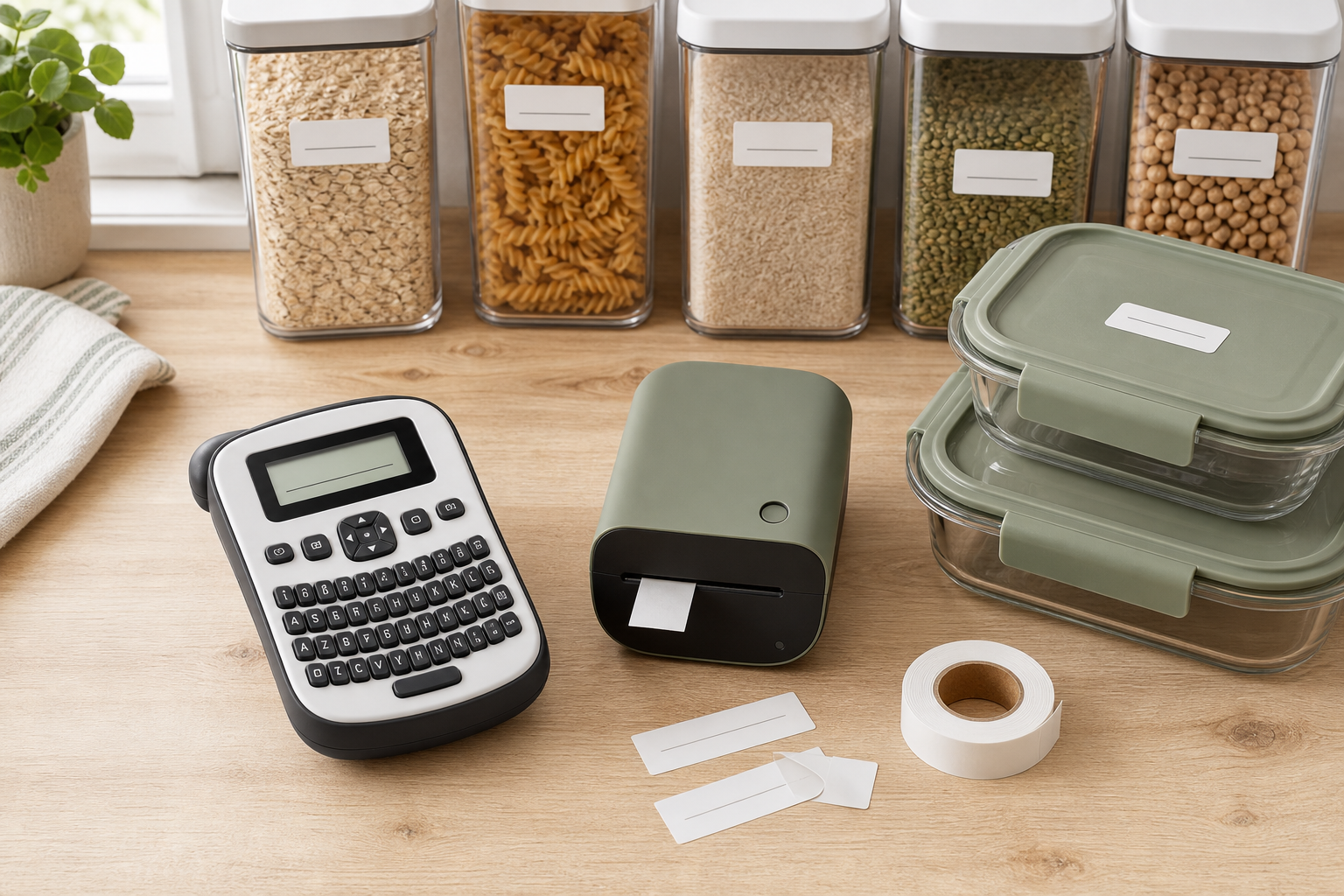
- Best format for phone-free use: A handheld model with physical keys, a readable preview display, and common editing controls available on the device.
- Best format for flexible layouts: An app-connected printer whose current app supports the needed text size and label width after its permissions, account requirements, and ongoing support are reviewed.
- Best format for occasional basic labels: A simple device with inexpensive, widely available refills and little setup. A complex template library adds little value if most labels are one line.
- Best format for shared households: A device that multiple people can operate without one person’s private phone or account becoming the only way to print.
- Best format for predictable ownership cost: A label maker with clearly documented tape families, lengths, widths, and yields that can be priced per usable foot or meter.
Selection criteria that matter
- Tape system: Check the exact cartridge, roll, or proprietary refill family. Confirm supported widths, label length, print color, background color, and whether the cutter is manual or automatic.
- Refill cost and waste: Compare roll length and the device’s leading or trailing margins, not package count alone. Some systems use extra tape around each print.
- Readability: Look for a preview that shows capitalization, spacing, symbols, and line breaks before printing. Confirm available text sizes and contrast on the tape you plan to use.
- Controls: Physical keyboards avoid phone setup but can feel cramped. App-connected printers may allow more layout control but add pairing, updates, permissions, and account dependence.
- Power: Verify the included power source, battery type, charging cable, adapter requirements, expected storage behavior, and whether batteries are included.
- Kitchen fit: Check device footprint, storage case or tape compartment, and whether it can remain accessible without consuming needed prep space.
- Surface and temperature claims: Match the exact tape—not just the printer—to plastic, glass, metal, painted shelves, freezer use, moisture, or removable-label needs. Follow the tape maker’s cleaning and application directions.
- Privacy: For an app-connected model, review current account requirements, permissions, analytics controls, cloud features, deletion options, and whether local printing works without uploading label content.
- Replacement support: Check whether tape, cutters, chargers, batteries, and documentation remain available for the exact model.
A practical comparison framework
Give each candidate a yes, no, or unclear for these questions:
- Does the device print the label widths and text sizes needed for the actual bins and containers?
- Are exact refill identifiers, roll lengths, and supported tape types easy to confirm?
- Can the ongoing cost be compared using usable tape length rather than a vague multipack count?
- Can everyone who needs the printer operate it with the available phone, account, keyboard, vision, and dexterity requirements?
- For an app model, are permissions and data handling acceptable—and can core printing still work if the app or cloud service changes?
- Does the exact tape maker support the intended surface, temperature, moisture, cleaning, and removal conditions?
- Can a label be previewed and corrected before tape is consumed?
- Are current warranty, returns, refill availability, and replacement-part terms clear?
- Would this device still solve a useful organization problem if it had no effect on weight or body measurements?
Handheld keyboard vs app-connected printer
A handheld keyboard model keeps the workflow contained in one device. That can be useful in a shared kitchen or when you want to avoid pairing and account setup. The tradeoffs may include smaller keys, fewer layout options, a limited display, and less convenient editing for longer labels.
An app-connected model can provide larger previews, templates, imported symbols, and flexible alignment. Those features do not automatically make it better. The printer may depend on a phone, Bluetooth pairing, a supported operating system, app updates, permissions, or an account. Review the current app listing and privacy information yourself; marketplace screenshots can become outdated.
Adhesion and durability claims have limits
A printer does not make every compatible-looking tape safe for every kitchen surface. Adhesion depends on the exact tape formulation, a clean and dry application surface, temperature, condensation, texture, oils, dwell time, washing, and removal method. “Waterproof,” “freezer-safe,” “dishwasher-safe,” and “removable” are claims to verify for the exact refill under the maker’s stated conditions.
Do not place an ordinary printed label where it can contact food unless the maker explicitly identifies that use. Keep labels away from vents, seals, appliance heating surfaces, and other areas where they could interfere with normal operation. Before labeling a valuable or delicate finish, follow the tape maker’s test-area and removal directions.
Who should skip this purchase
Skip a label maker if a washable marker, paper card, reusable clip, or the labels you already own solve the problem. Skip it if you label only a few containers, cannot confirm affordable refills, or know that an app account or physical keyboard will make the device harder to use.
Also skip systems that conceal refill specifications, require unclear permissions, lack current app support, or make broad temperature and adhesion promises without conditions. For short-term leftovers and freezer dates, a purpose-made removable food-storage label may be cheaper and easier than maintaining a printing device.
Bottom line
The best label maker is not the one with the longest feature list. Choose the simplest format that produces readable labels for your actual surfaces, has refills you can identify and afford, and fits the people who need to operate it. Verify tape claims separately from printer claims, and price the system over time before adding another device to the kitchen.