Habit-tracker format comparison
App-Based Habit Tracker vs Printable Habit Tracker
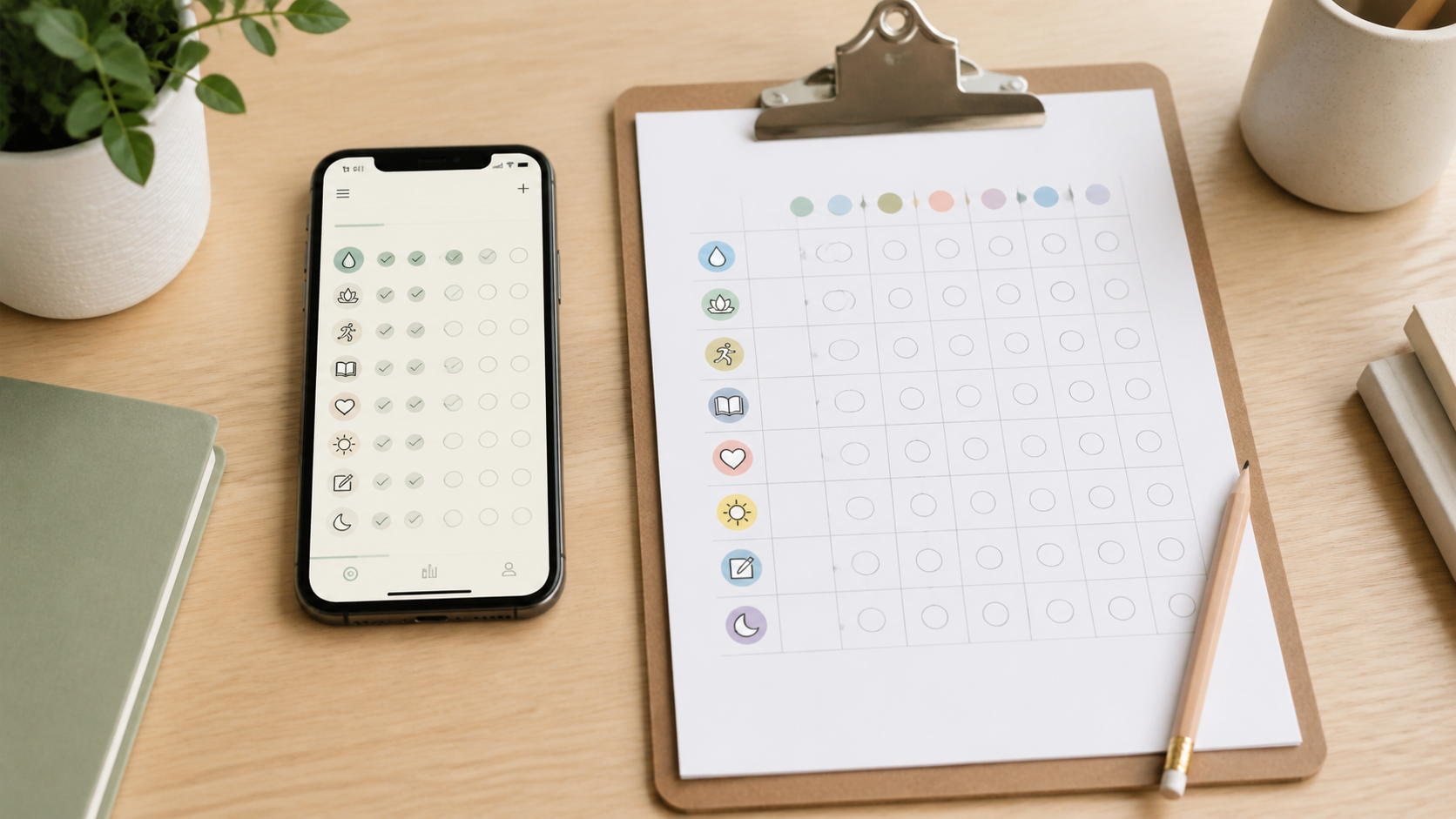
An app can put reminders, editing, and history on a device you already carry. A printable tracker keeps the routine visible without an account or notifications. The better fit is the format that makes a useful cue easier without turning missed checkmarks into a score for your body or character.
As an Amazon Associate, GoodWeighFinds earns from qualifying purchases.
Quick answer
Choose an app when adjustable reminders, quick editing, portability, or an accessible device interface solves a real problem—and after its account, privacy, and payment terms pass your review. Choose a printable tracker when seeing the whole week, writing by hand, sharing a household page, or avoiding another account matters more. Choose neither when a calendar mark, phone alarm, or scrap paper already gives you the cue you need.
How the formats differ
| Decision point | App-based tracker | Printable tracker |
|---|---|---|
| Prompt | Can use scheduled notifications, widgets, or badges. | Works only when the sheet stays somewhere you will see it. |
| Privacy | May involve an account, device permissions, analytics, cloud storage, or sync. | Stays offline but can be seen, misplaced, photographed, or discarded carelessly. |
| Changing goals | Often quick to edit, archive, or reorder, depending on the app. | May require erasing, crossing out, or printing a new page. |
| Pressure | Streaks, badges, scores, and repeated alerts can add urgency. | Blank boxes and rigid preprinted layouts can still feel judgmental. |
| Cost | Can be free, paid once, or subscription-based; features may sit behind purchases. | Includes purchase or printing costs, though plain paper may work. |
| Access | Travels with the device and may support built-in accessibility settings. | Needs legible print, enough writing room, and a practical storage location. |
When an app is the calmer fit
An app can fit when a routine happens away from home, the timing changes, or a discreet reminder is more useful than a page on the wall. It may also work better when device-level zoom, screen reading, voice input, color controls, or alternative input already support how you use your phone. Confirm the specific app supports the feature you need; do not infer accessibility from screenshots.
Before installing, review the current store listing and the developer's privacy information. Check whether an account is required, what permissions are requested, whether data can be exported and deleted, which features require payment, and how to cancel any subscription. Treat store labels and developer statements as disclosures to inspect, not proof that no other collection occurs.
When a printable tracker is the calmer fit
A paper page can fit when visibility is the main cue, several people need a shared reminder, or you want a record that does not send routine information to an app provider. An undated layout makes interruptions easier to handle because a missed week does not waste a dated sequence.
Inspect the actual page preview before buying or printing. Look for enough writing space, clear contrast, goals you can rename, and a simple way to mark “not applicable.” Skip layouts dominated by body measurements, calorie targets, moral food labels, countdowns, or motivational copy built around guilt.
Pressure and privacy checks
- Turn streaks optional: If an app will not let you hide a streak or reset without punishment language, it may be the wrong tool.
- Control reminders: Check whether alerts can be edited, paused, or silenced by habit instead of granting all-or-nothing permission.
- Limit the data: Record only what helps a practical decision. A routine cue rarely needs body measurements, photos, location, contacts, or health data.
- Plan paper privacy: Decide where a visible sheet belongs, who can see it, and how to dispose of it if the notes are personal.
- Make change ordinary: Choose language and layouts that allow rest, illness, travel, accessibility needs, and changing priorities without grading the interruption.
Try the format before buying
Test the digital experience with tools already on your phone: create one neutral calendar reminder or recurring checklist item for a week. Test paper by drawing seven columns on scrap paper and leaving it in the place where the routine begins. Compare which cue you noticed, how easy it was to change, whether it created pressure, and whether keeping a history was actually useful.
If the phone cue works, you may not need a dedicated app. If the scrap sheet works, a paid pad is only useful when better contrast, binding, paper size, mounting, or a reusable layout removes a specific annoyance.
Skip criteria
Skip an app when its permissions, data use, deletion path, subscription terms, or notification design are unclear or do not fit your boundaries. Skip a printable when its prompts are restrictive, the print is hard to use, the page cannot stay visible, or printing creates more maintenance than the routine itself.
Skip either format if tracking increases guilt, compulsive checking, rigid restriction, conflict, or distress. A habit tracker is an organization aid, not a weight-loss treatment, medical device, or evidence that a routine will change body weight.
Useful next reads
This comparison maps to the non-shaming habit-tracking pillar. Use the habit tracker claim check to screen marketing promises, or the habit-tracker worth-it guide if you are deciding whether to track at all. If your specific task is recording food-related context, the paper food journal versus food tracking app comparison covers that narrower decision.
Bottom line
An app earns its place when reminders, portability, editing, or device accessibility outweigh account and privacy friction. A printable earns its place when a visible, flexible, offline page is easier to live with. Test the cue with tools you already own, then pay only for a format that removes a problem you can name.